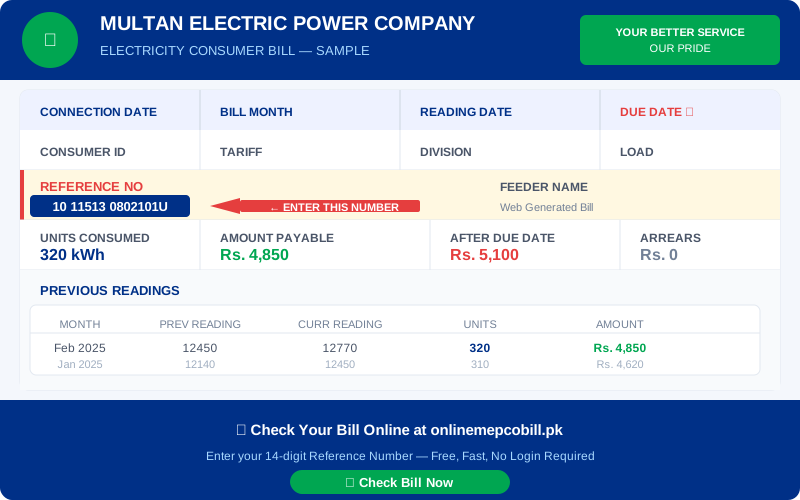
Your MEPCO bill online is available 24 hours a day, 7 days a week. There is no need to wait for a paper bill — you can view, download, and print your MEPCO online bill anytime from your phone or computer.
How to View MEPCO Bill Online
Visit onlinemepcobill.pk, select MEPCO, enter your 14-digit reference number, and click Check My Bill. Your complete MEPCO bill online appears instantly in a new tab from the official PITC portal.
How to Download MEPCO Bill Online as PDF
After your MEPCO online bill opens in the browser:
- Press Ctrl + P (Windows) or Cmd + P (Mac)
- In the printer selection, choose "Save as PDF"
- Click Save — your MEPCO bill is saved to your device
- You can now share it via WhatsApp or email
How to Print MEPCO Bill Online
After opening your MEPCO bill online, press Ctrl+P and select your printer. The printed bill is accepted at all banks and payment centers as a valid duplicate.
MEPCO Bill Online — Information Explained
- Units Consumed: Your electricity usage this month in kWh
- Amount Payable: Pay this amount before the due date
- After Due Date: Higher amount if you pay late (includes surcharge)
- Arrears: Any unpaid balance from previous months
- Previous Readings: Last 2-3 months of consumption history
Pay MEPCO Bill After Viewing Online
After viewing your MEPCO bill online, pay through JazzCash, EasyPaisa, HBL Mobile, UBL, MCB, or any 1-Link ATM. Always pay before the due date shown on your bill.
⚡ Check Your Electricity Bill Now
Works for MEPCO, LESCO, IESCO, FESCO, PESCO, HESCO, QESCO, SEPCO & TESCO — Free, No Login
Check My Bill Free ⚡